
Microsoft 365 outage: what happened and what to do now
Since Thursday evening, businesses in Kigali and around the world have opened Outlook to a white screen and the words "Something went wrong." The fault is on Microsoft's side. Here is what we know, what to avoid, and how to keep working.

Service returning
Microsoft has apologised and says it has "addressed the underlying issue". It is still restoring service to the remaining customers and regions, so it has not yet declared the incident resolved. From Kigali, Outlook on the web works again, and delayed email is arriving, some of it many hours late. If your mailbox still fails, wait and try again later rather than changing settings.
Microsoft's latest update: Sat 14 Nov, 00:00 Kigali time, on status.cloud.microsoft.
What happened
On Thursday 12 November, at about 19:50 Kigali time, Microsoft said it was "investigating reports of users experiencing issues accessing Exchange Online". Exchange Online is the service behind business email in Microsoft 365. Within hours the problem had spread across regions.
Microsoft has linked the outage to a patch applied to "an upstream authentication/routing configuration component". It later said a core process on the affected servers was "becoming overwhelmed, causing capacity loss", with "a large number of servers being unexpectedly unavailable" pushing extra load onto the ones still running.
That is why recovery has been slow. Servers that Microsoft brought back overnight stopped responding again within about an hour, so it is now reintroducing traffic gradually.
- Thu 19:5012 Nov
Microsoft confirms it is investigating problems reaching Exchange Online.
- Fri 06:3613 Nov
Microsoft reports "partial recovery across regions", but the recovery does not hold.
- Fri 09:3013 Nov
Microsoft reports "positive results for server stability".
- Fri 10:4213 Nov
Our own test from Kigali: Outlook on the web still does not load.
- Fri 14:0913 Nov
Microsoft reports "encouraging recovery progress", with email delivery improving across more of the affected servers.
- Fri 14:2413 Nov
Our test from Kigali again: Outlook on the web still times out.
- Fri 16:1713 Nov
Microsoft says email queues are "significantly reduced and approaching normal levels".
- Fri 19:2013 Nov
Microsoft apologises, calls the outage a technical issue rather than a cyber attack, and says it has "addressed the underlying issue". Restoration continues for the remaining customers.
- Fri 19:4013 Nov
Our test from Kigali: Outlook on the web and our own mailbox work again. Delayed messages are still arriving.
Times converted from US Eastern time as reported by NBC News and ABC7. The 19:20 entry is when ABC7 published Microsoft's apology.
Which services are affected
Email is the part everyone notices. According to NBC News, business customers have also had problems with Teams, Copilot, Planner, SharePoint, To Do and Windows 365. Microsoft listed Outlook.com, OneDrive and OneNote among the affected consumer services. Azure was reported as working.
Teams calendars and meeting invitations run through Exchange, so they can fail even when Teams chat works. If a client says they never received your meeting invite, this is probably why.
The scale is large. In the United States alone, Downdetector logged more than 120,000 reports about Outlook and more than 45,000 about Microsoft 365, ABC News reported. Government systems in Australia, Japan and the US House of Representatives were among those hit.
The error your staff are seeing
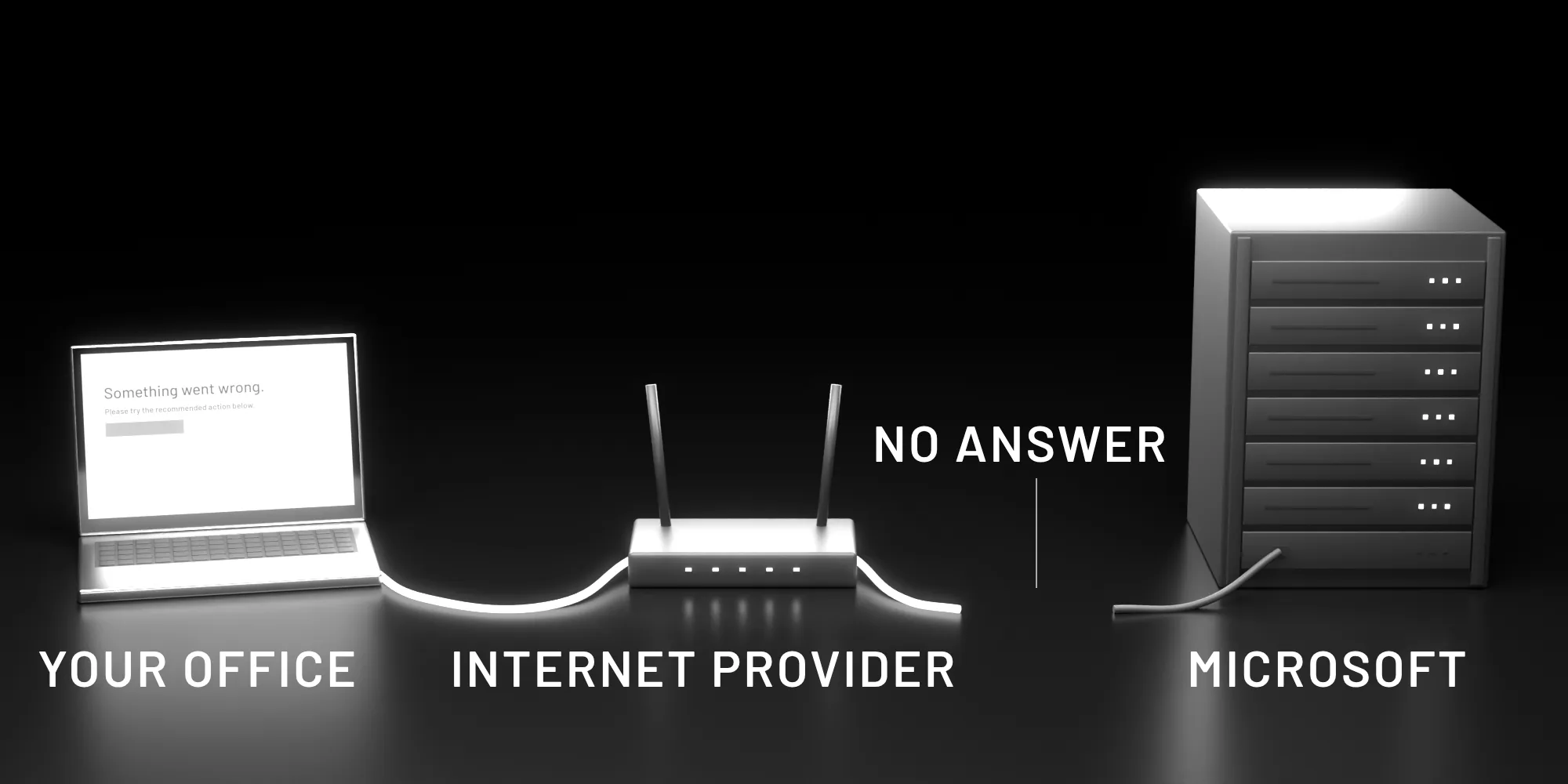
If Outlook on the web shows this screen, your laptop and your internet connection are almost certainly fine:
Something went wrong.
BootResult: network
err: TypeError: Failed to fetch
esrc: StartupData
et: ServerError
Your browser loaded the Outlook page, but Microsoft's mail servers did not answer when it asked for your mailbox. A quick check: if other websites open normally, the problem is not on your side. When we traced the connection from Kigali on Friday morning, it passed through the local network, reached Microsoft's network, and stopped there.
Was it a cyber attack?
No. Microsoft said early on that it was "not aware of any malicious activity that is causing this incident", and in its apology on Friday evening it described the outage as a technical issue, not a cyber attack. It has promised a post-incident report with the full root cause.
Stay alert anyway. Outages are a favourite moment for fraudsters, so expect fake emails and text messages asking you to "verify your mailbox" or sign in again to restore access. Treat any message that asks for your password to fix the outage as a scam. If you need to sign in, type the address yourself.
Is email sent to you lost?
Probably not. Email is built to survive this. When a mail server cannot deliver a message, it normally holds it in a queue and keeps retrying, often for a day or more, before it gives up and sends the sender a bounce notice. Expect delays, and a backlog arriving at once when service returns.
That is what we saw on Friday evening. In a mailbox we checked at 19:40, messages sent that morning were only now arriving, the oldest more than nine hours late. Go through the backlog carefully: an urgent message from this morning may now be sitting among this evening's mail.
If something time-critical was due to you, such as a signed contract, a payment confirmation or a tender clarification, phone the sender and ask them to check for a bounce. Don't assume it arrived.
What to do right now
- Check the official status. Microsoft's public page is status.cloud.microsoft. If you manage your company's account, the Microsoft 365 admin center at admin.microsoft.com has the detail under Health, then Service health.
- Move urgent conversations to the phone. Call the clients and suppliers who are waiting on you. WhatsApp is fine for quick confirmations, but keep payment details and personal data out of group chats.
- Use what is already on your devices. The Outlook desktop and phone apps may still show mail they downloaded before the outage, and OneDrive files kept on your laptop still open offline.
- Tell your team once. One message to staff saying it is a Microsoft problem, and which channel to use meanwhile, saves a morning of "is email down?" calls.
What not to do
- Don't reset passwords, delete Outlook profiles or reinstall Office because of the outage. None of it helps, and you may be left with a broken setup when Microsoft recovers.
- Don't keep pressing "Refresh the application". It will work again when Microsoft's servers do.
- Don't change your company's email routing (MX records, forwarding rules or DNS) in a hurry. Those changes take time to spread and are easy to get wrong under pressure.
Prepare for the next one
Every cloud service fails sometimes. In our view Microsoft 365 is still far more reliable than the office server most businesses ran ten years ago, and one bad day doesn't change that. What this outage does show is how much of a business now runs through a single mailbox: quotations, invoices, RRA correspondence, bank approvals and meeting invitations.
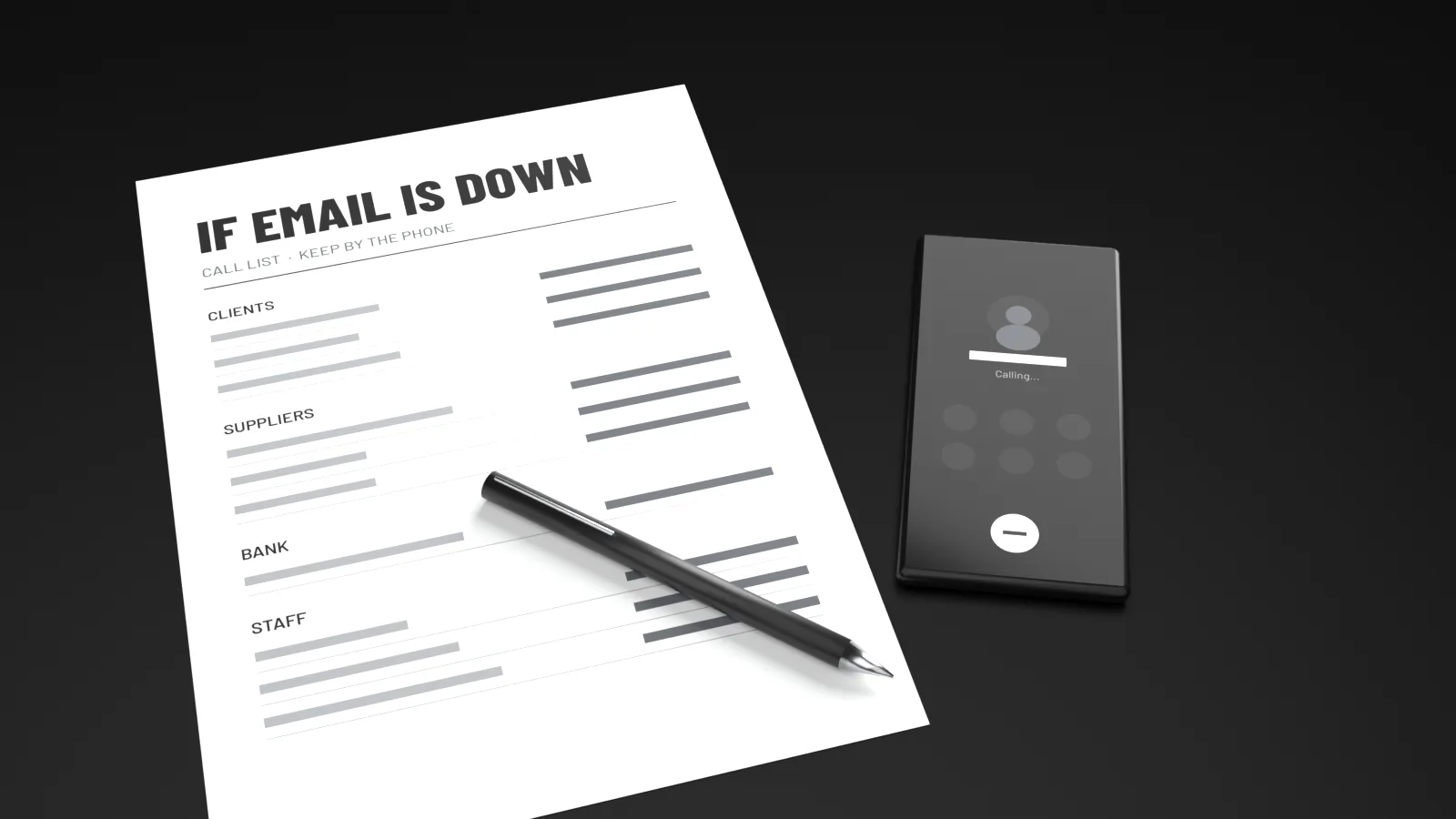
An afternoon of preparation turns the next outage into an inconvenience instead of a lost day.
- Keep a phone list outside Outlook. Your main clients, suppliers, your bank contact and your staff. A printed copy in the office counts.
- Agree a fallback channel now, so nobody has to decide it during the outage.
- Make sure two people can sign in to the admin center and read Service health. If only one person holds the admin password, that is a risk of its own.
- Mark the files you cannot work without as "Always keep on this device" in OneDrive, so they open with no connection to Microsoft.
- Write down when an outage started and what it stopped. Microsoft's business plans come with a service level agreement. If a long outage cost you money, ask your Microsoft reseller whether you qualify for a service credit.
Where Netpipo comes in
Netpipo provides IT consulting and support for businesses in Rwanda, including system reviews and staff training. If your company depends on Microsoft 365 and you would like a second pair of eyes on admin access, offline copies and a simple outage plan, talk to us.
If you are a small team with one or two mailboxes, the checklist above is all you need, and you can finish it this afternoon.
Read next: Tech trends 2027: what Rwandan businesses should plan for.
Sources
- NBC News: Microsoft services hit by major outage across the world (updated 13 Nov 2026, 03:26 ET)
- ABC News: Microsoft outage continues, disrupting Outlook, Teams for businesses and governments
- ABC7: Microsoft outage live updates (13 Nov 2026, including Microsoft's apology)
- CNN: Global Microsoft outage
- NSAO: Microsoft 365 email outage continues into November 13
- Netpipo connection tests from Kigali, 13 November 2026